Email marketing
Email marketing. Newsletters you design, send and measure.
Newsletter software for businesses of any size. Design each email in the same visual editor as your website pages, send it to the right list and see who opened it and which links readers clicked. You can build without code, and your whole team can use it.
No coding needed. Unlimited teammates.
Email marketing
Design newsletters in the same editor as your pages
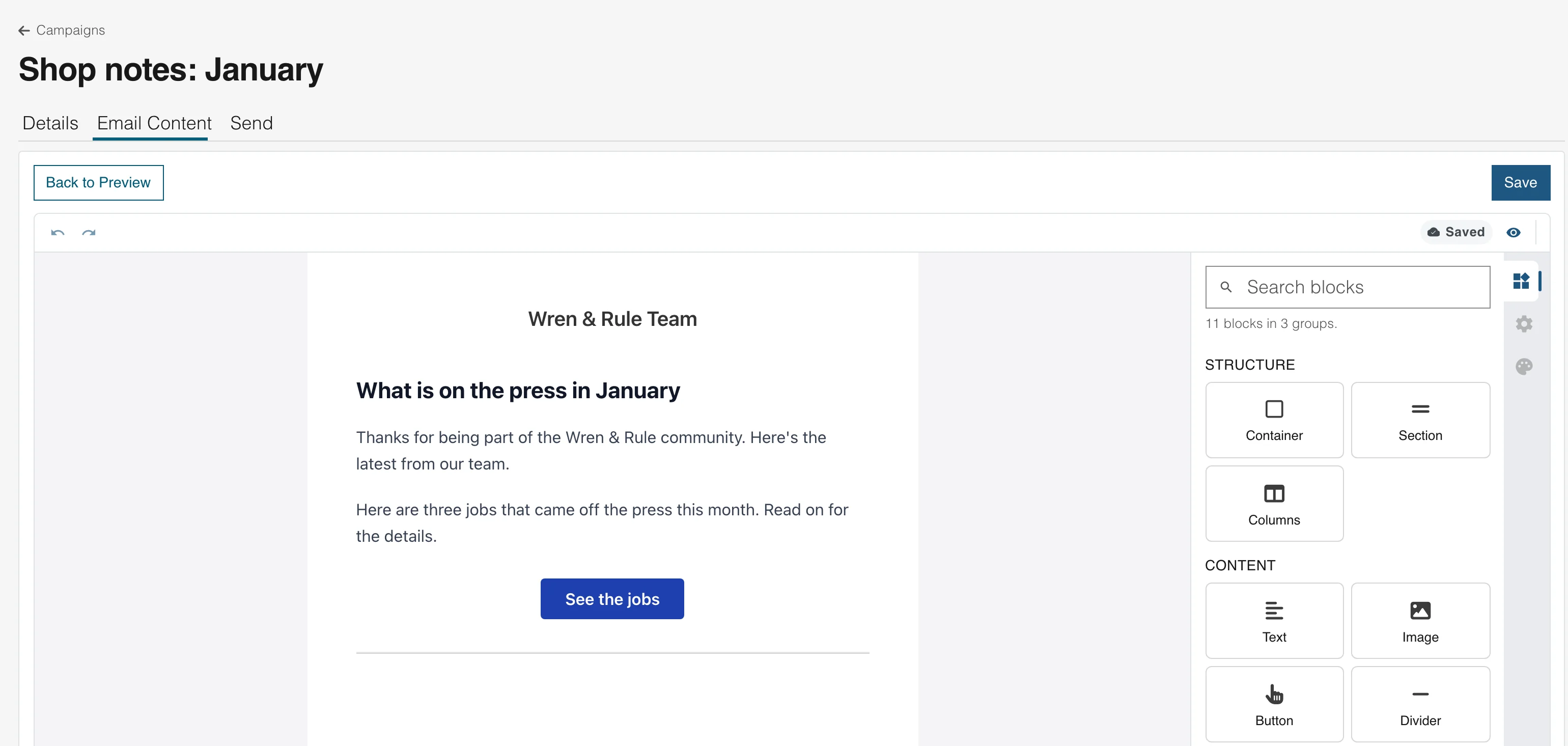
Drag in text, pictures, buttons and columns, click any text to edit it and see the email as you build it. If you have built a page, you already know how to build a newsletter.
Components that fit an email
Containers, sections, columns, text, images, buttons, dividers and spacers, plus a header and a footer.
Use each reader's name
Merge tags put a reader's first name, your company name or a field of your own into the email.
Show a part to some readers
A conditional component shows only to contacts who match your rules, such as a tag or a field. Everyone else gets the rest of the email.
Email marketing
Signup forms on your site fill your list
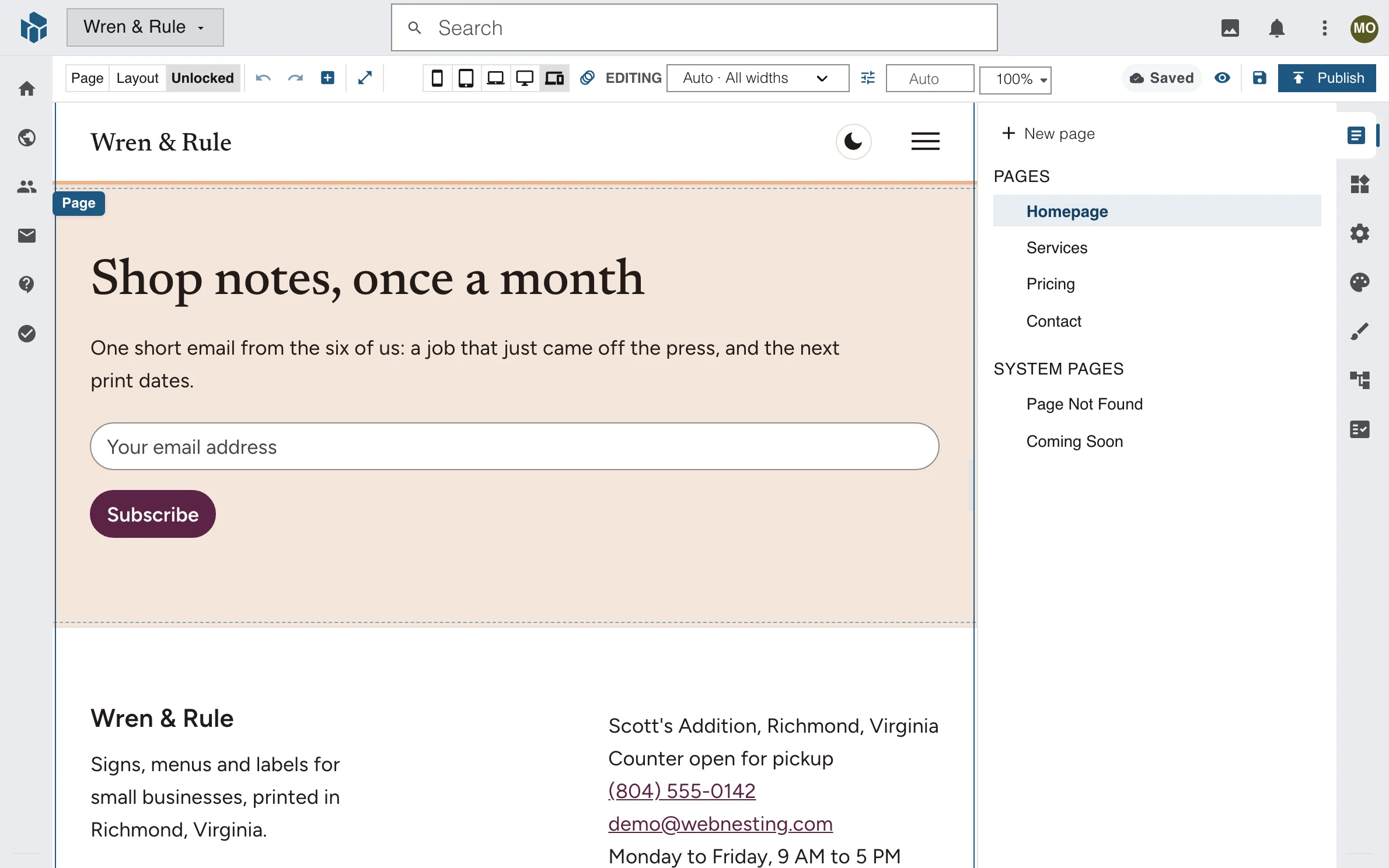
Add an Email Signup component to any page of your website. Each person who joins becomes a contact on the list you choose, and your next newsletter can reach them.
One component, any page
Drop the Email Signup component on a page, a layout or the footer, and pick the list it adds people to.
Confirm by email, if you want
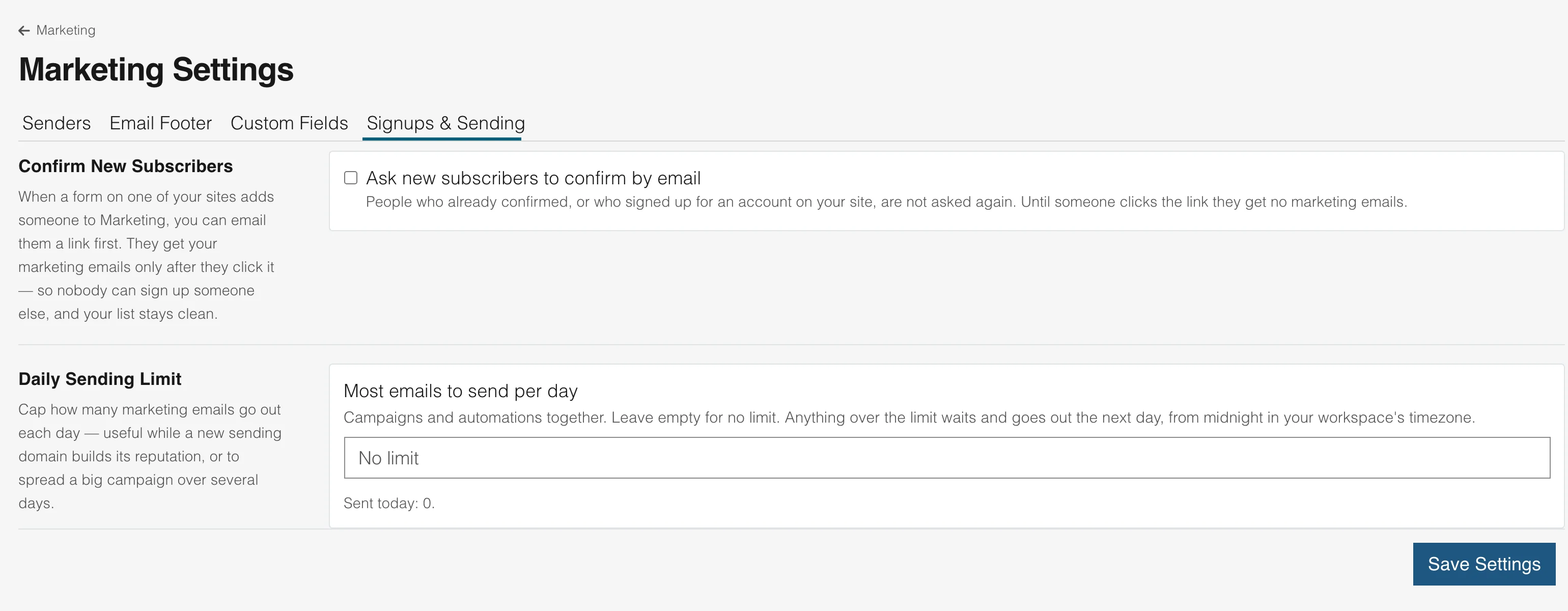
Turn on double opt-in and each new subscriber confirms from an email first.
One contact for everything
A signup is the same contact your forms and customer emails already use, so nobody gets copied between tools.
Email marketing
Keep your list healthy
Every email carries an unsubscribe link, and a daily send limit keeps a big send from going out all at once. If too many emails bounce or readers mark them as spam, sending pauses by itself.
One-click unsubscribe
Readers leave from the link in the email, or from the unsubscribe button their mail app shows.
A daily limit you set
Choose the most emails to send in a day. Anything over it waits for the next day.
Sending pauses when something is wrong
Too many bounces or spam reports pause sending until the numbers recover, which protects your name as a sender.
Email marketing
Lists, tags and fields of your own
Keep a list for each group you write to: everyone who signs up, repeat customers, people who came to an event. Tag contacts, add fields such as a birthday or a shop, and send to the group you mean.
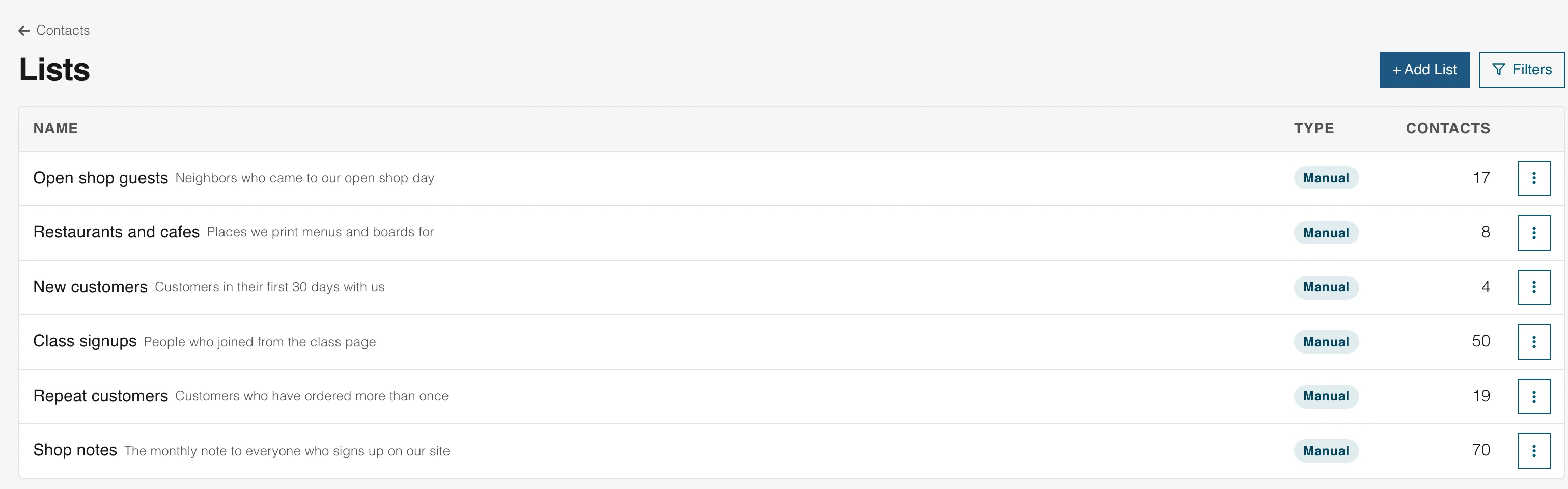
Lists you fill or lists that fill themselves
Add people to a list by hand, or make a list from a rule, such as everyone with a tag.
Tags on every contact
Mark customers, quotes or class guests once, and use the tag to send or to start an automation.
Fields of your own
Add the fields your business needs, and use them in a newsletter with a merge tag.
Email marketing
Emails that send themselves
Write a welcome series once. It starts for each new subscriber, waits between emails and stops when it ends. You see every step on one screen, and how many people are in each run.
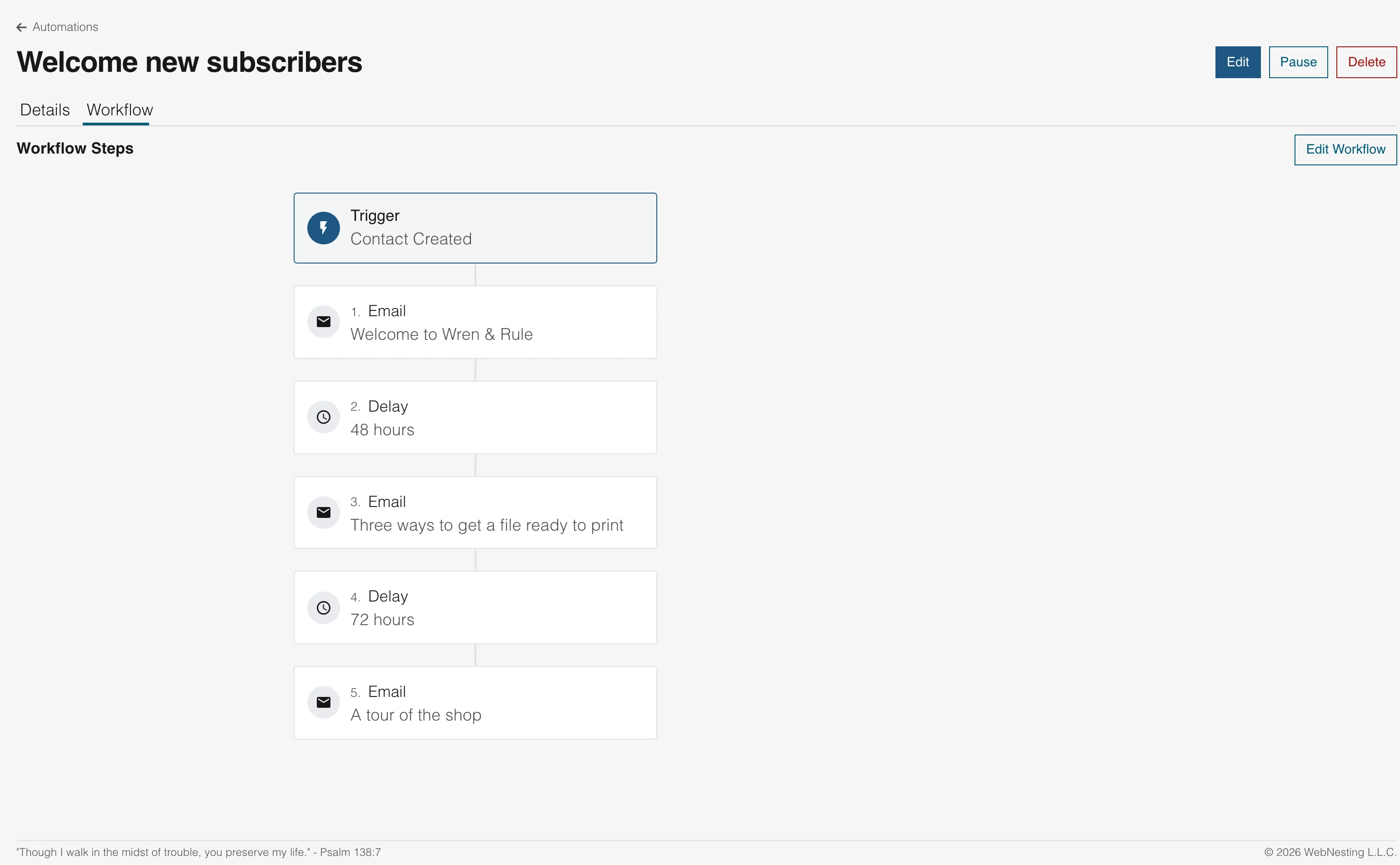
Start from what a contact does
A form, a new contact, a list, a tag or a date. With Helpdesk or Tasks on, a customer email or a finished task can start one too.
Wait, tag, update, decide
Add a wait, tag or untag a contact, move them between lists, change a field, call a web address or send them down a yes or no branch.
Every step in view
The Workflow tab draws the whole run, so you can see what happens and in what order.
Email marketing
Test two subject lines and send the winner
Write two versions of a newsletter. Each goes to part of your list, then the one that gets more opens or clicks goes to everyone else. Or pick the winner yourself.
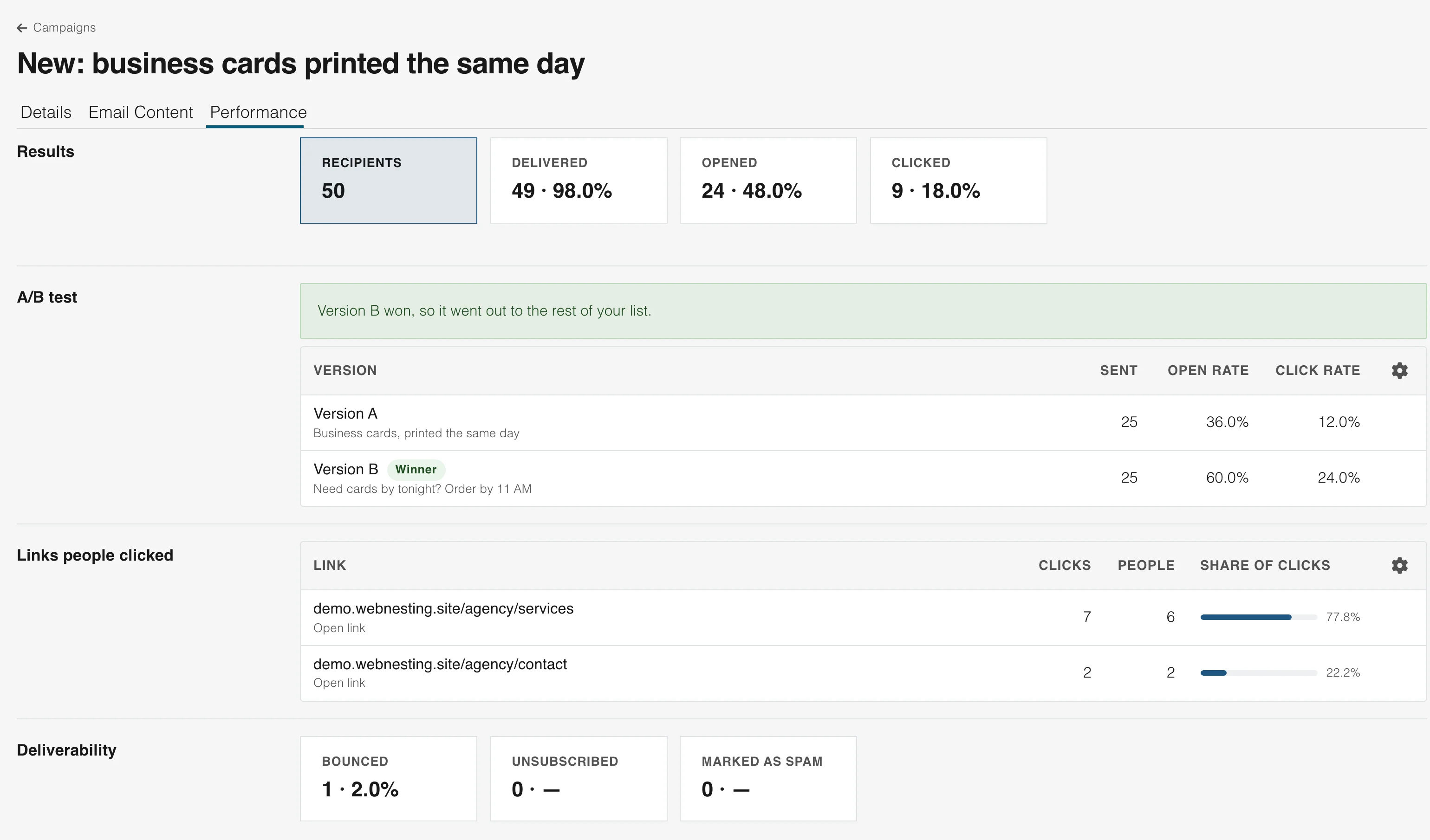
You set the test
Choose how much of the list takes part, how long to wait and whether opens or clicks decide.
The winner is sent for you
When the wait ends, the better version goes to the people who were held back.
Or pick it by hand
Press "Send to Everyone Else" on the version you prefer, without waiting.
Email marketing
Results down to each link
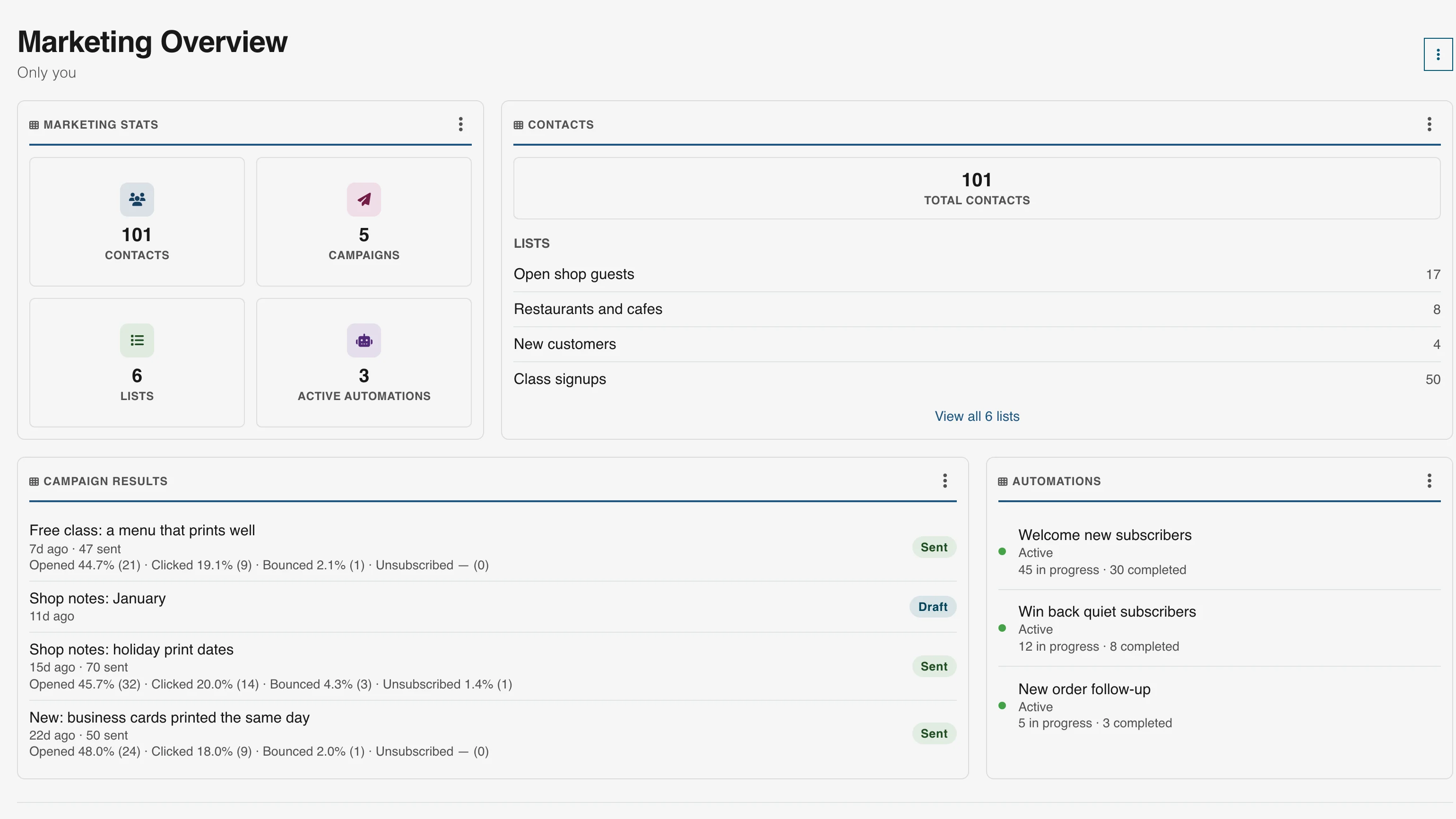
See how many people got each newsletter, opened it and clicked. The list of links shows which ones they clicked and how many people that was.
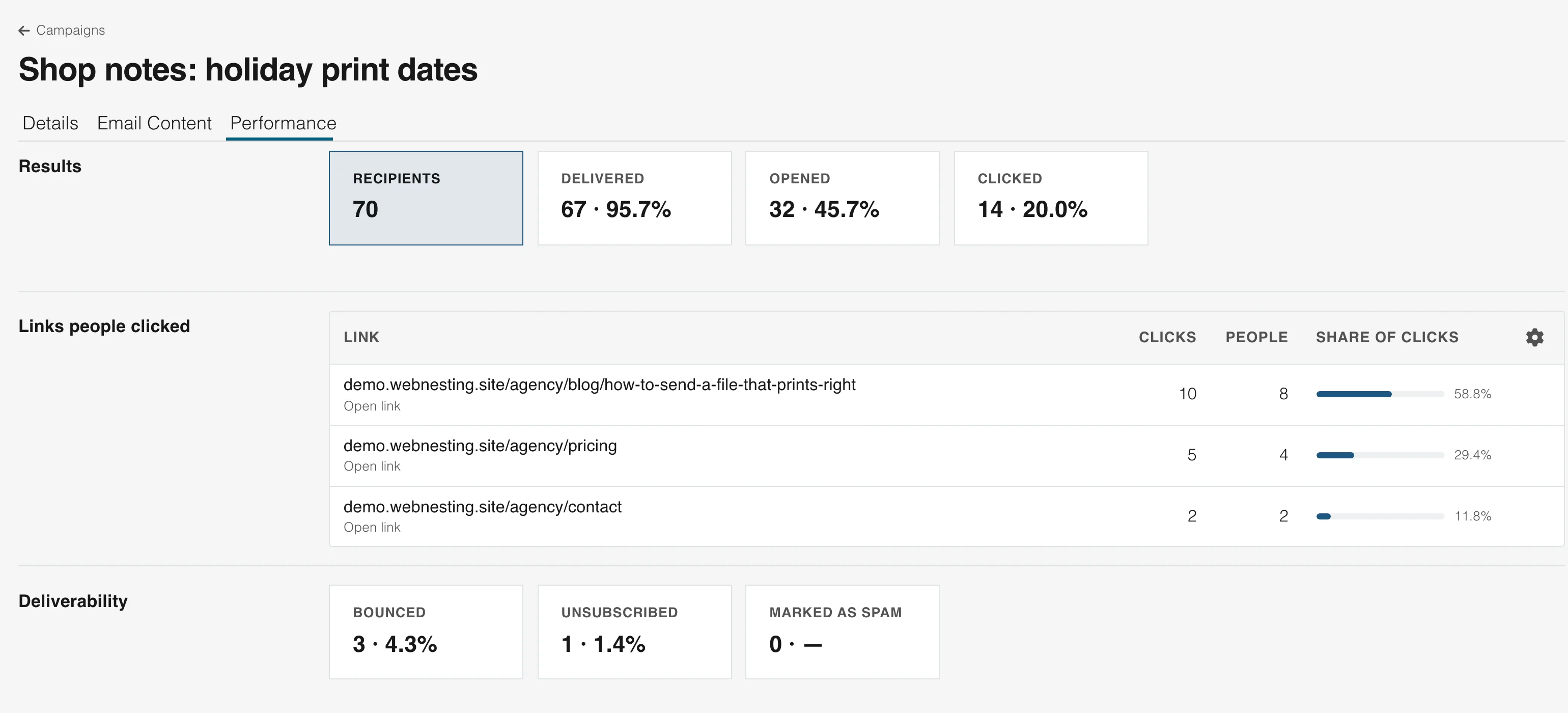
Delivered, opened, clicked
Each figure comes with its share of the list, so you can compare one newsletter with the next.
Every link counted
See which links drew clicks, how many people clicked and each link's share of all clicks.
Bounces and unsubscribes too
Know who left, whose address failed and whether anyone marked the email as spam.
Email marketing
Send from your own name and address
Your readers see your name and your address in the From line. Add a sender in Marketing settings, and a preview shows how that line will look in their inbox.
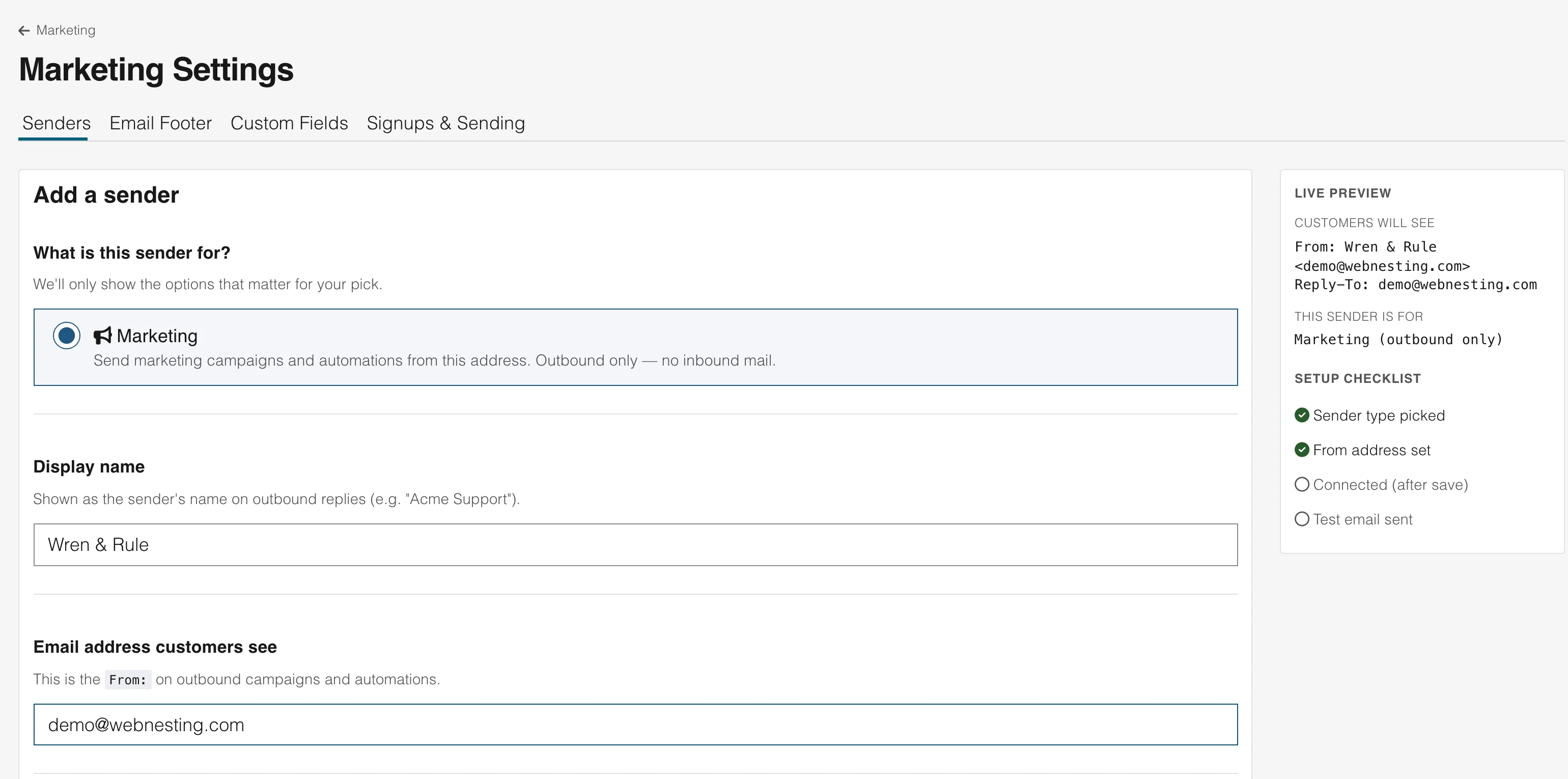
Your name in the From line
Set a sender name and a reply address for the whole workspace, or change them on one newsletter.
Your own sending address
Verify the address you send from, and your newsletters go out as you.
Only as yourself
A workspace can send only from addresses it owns or has verified, so no one else can send as you.
The same people in your newsletters, forms and customer emails
A contact is one record across WebNesting. Someone who writes to you, signs up on your site and reads your newsletter is one person, with everything on one page.
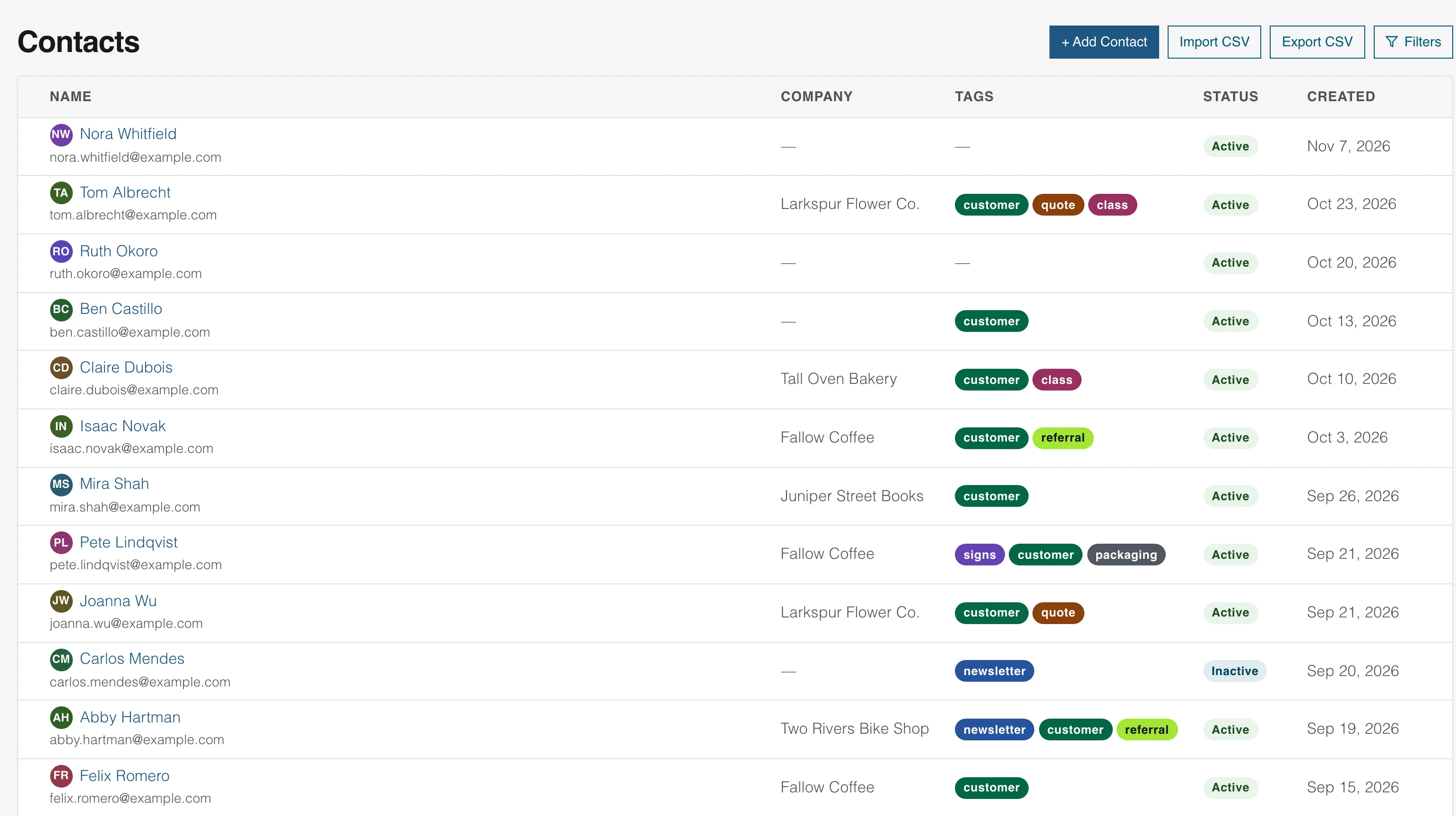
Someone signs up
New subscribers join your contact list
A signup form or a form on your site adds them, and their tags and lists sit on their record. One list serves every product, and you can bring one in from a spreadsheet or download it.
You send a newsletter
You see what they read
The newsletter goes to the list you pick, now or on a schedule. Results show who opened it and which links they clicked.
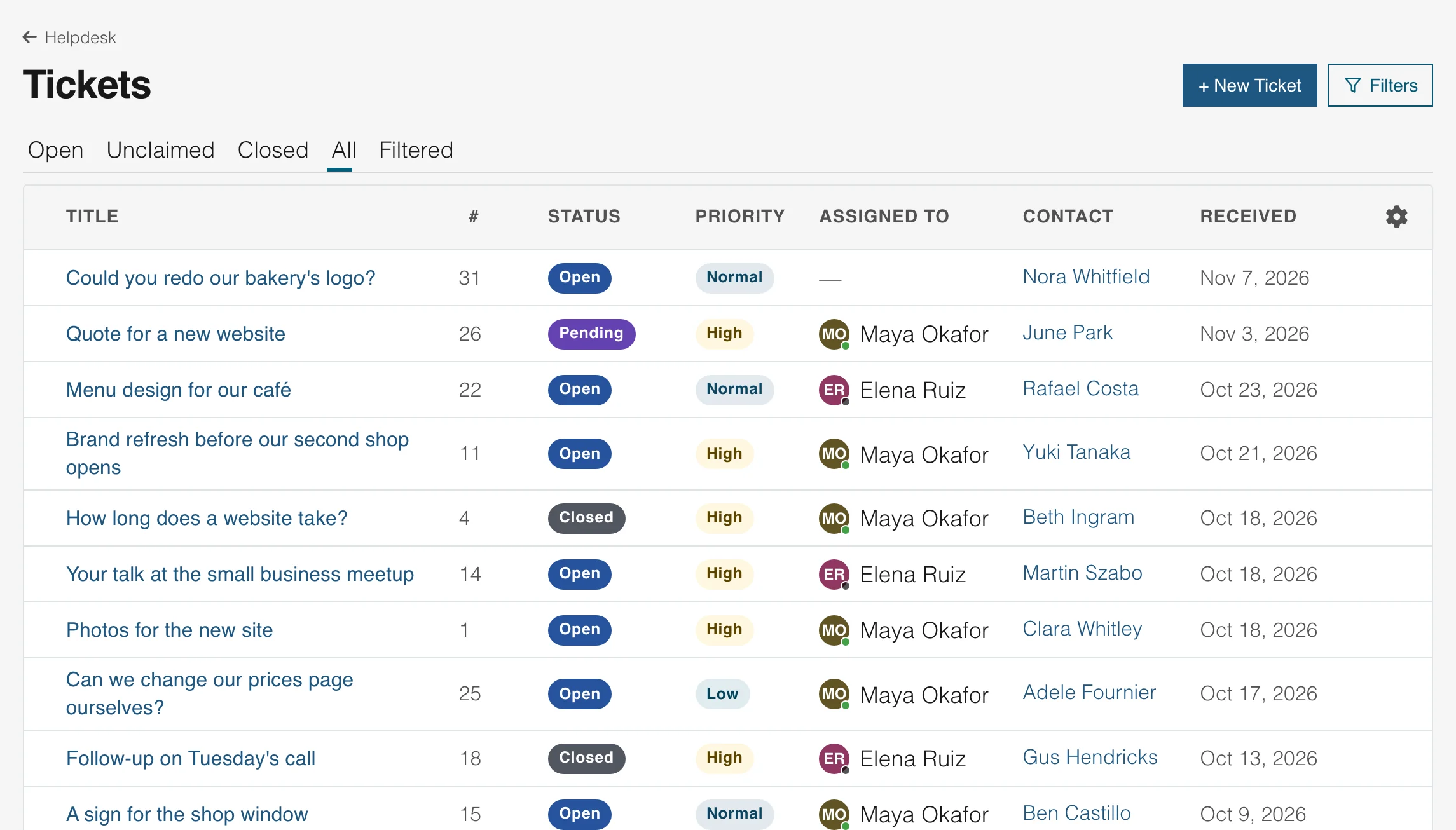
A reader writes back
Replies reach a shared inbox
A teammate answers a reader who writes back from the shared inbox, and everyone sees who has it. Assign each email to a teammate and keep saved replies for common questions.
FAQ
Email marketing questions
Email marketing is sending email to people who agreed to hear from you, to keep them informed and bring them back. Common kinds are a regular newsletter, a welcome series for new subscribers and a note to people who have gone quiet. In WebNesting you design each email visually, send it to a list and read the results.
You can send a newsletter to a list on the day you choose, a welcome series or any other run of emails that starts on its own, and two versions of one newsletter to see which does better.
Begin with one list and one regular newsletter. Put an Email Signup component on your website, write a short first email in the editor, send yourself a test and then send it to your list. Add a welcome series when you are ready for it.
Add an Email Signup component to the pages where people already are, such as your home page and your footer, or bring in a spreadsheet of people who agreed to hear from you. You can ask new subscribers to confirm by email first.
Start with how many emails were delivered, how many people opened one and how many clicked a link. Then look at which links they clicked, and at the people who unsubscribed or whose addresses bounced.
A newsletter is one kind of email marketing: a regular email to a list. Email marketing also covers welcome series, reminders and any other email you send to people who agreed to hear from you. WebNesting handles both.
Yes. Everyone you invite can work in Marketing, and there are no seat fees. Each person has a role that decides what they can change.
Send your first newsletter with WebNesting
Design it in the editor you use for your pages, send it to your list and see what people read. Websites, Helpdesk and Tasks are there when you need them, and your whole team is included.